





id (256bit) 和 key 256(bit)。
其中id用于保存和提取密信, 在这之后这封密信将会被客户端使用 XChaCha20-Poly1305 加密算法和`key`进行加密然后发送至服务器,数据将会保存在服务器的内存中且永远不会被持久化到硬盘上,服务端永远不会得到密钥并且无法解读密信的内容。
## 屏幕截图
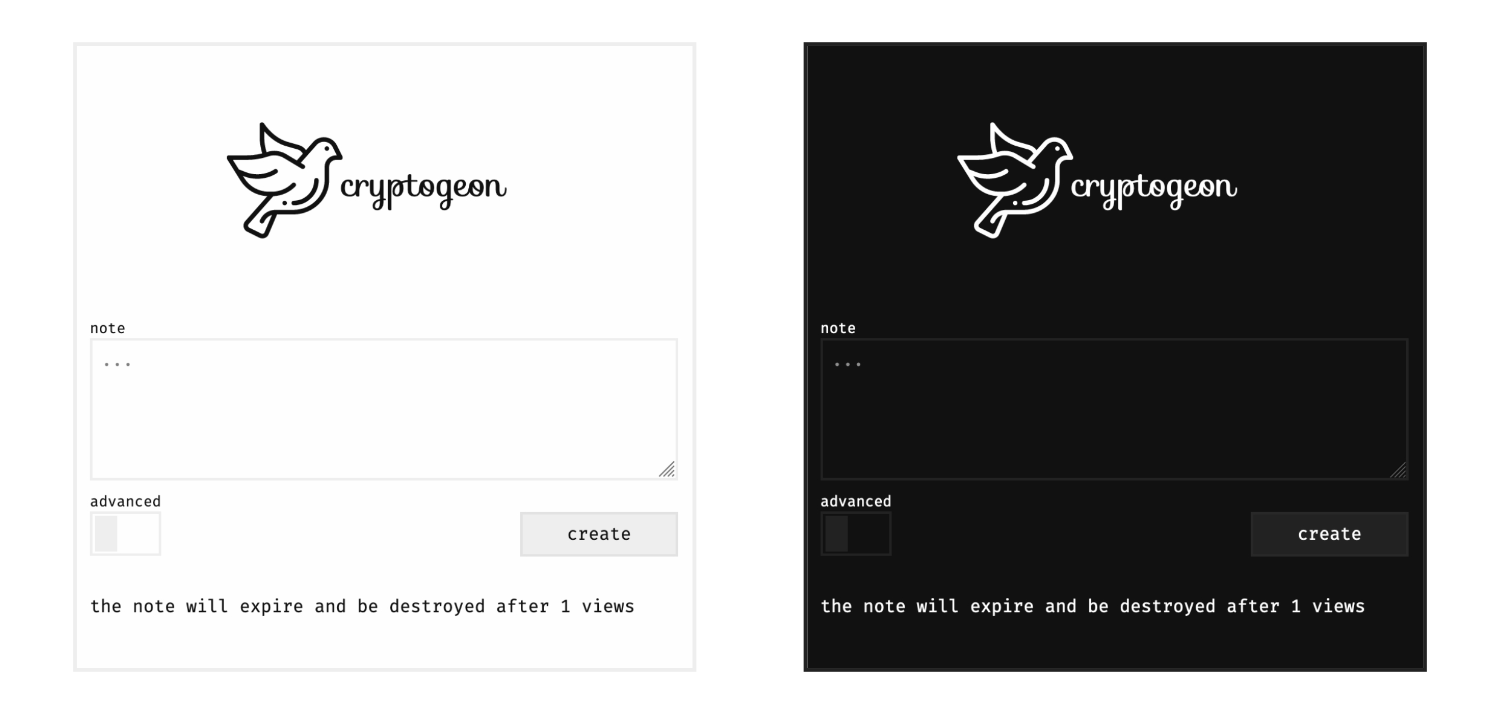
## 环境变量
| 变量名称 | 默认值 | 描述 |
| ----------------------- | ---------------- | ------------------------------------------------------------------------------------------------------------------------------------------ |
| `CACHE` | `redis://cache/` | 缓存(valkey 或 redis)连接 URL。[连接参数](https://docs.rs/redis/latest/redis/#connection-parameters) |
| `SIZE_LIMIT` | `1 KiB` | 最大请求体(body)限制。可通过 [字节单位](https://docs.rs/byte-unit/) 查看支持的值。负载是原始字节(msgpack + 加密),因此前端显示完整限制。 |
| `MAX_VIEWS` | `100` | 密信最多查看次数限制。 |
| `MAX_EXPIRATION` | `360` | 密信最长过期时间限制(分钟)。 |
| `ALLOW_ADVANCED` | `true` | 是否允许自定义设置,该项如果设为`false`,则不会显示自定义设置模块。 |
| `ALLOW_FILES` | `true` | 是否允许上传文件。为 `false` 时用户只能创建文本密信。 |
| `ID_LENGTH` | `32` | 设置密信 `id` 的字节大小。默认 `32` 字节,可用于缩短链接长度。_不影响加密强度_。 |
| `CACHE_PREFIX` | `""` | 缓存键可选前缀。与其它应用通过 ACL namespace 共享缓存实例时有用。 |
| `EXTRA_SIZE_LIMIT` | `512` | 不透明 `extra` 负载(如密钥派生参数)的最大字节数,存于密信元数据。 |
| `VERBOSITY` | `warn` | 后端日志级别。可能值见 [env_logger](https://docs.rs/env_logger/latest/env_logger/#enabling-logging)。 |
| `THEME_IMAGE` | `""` | 自定义 Logo 图片,需可公开访问。 |
| `THEME_TEXT` | `""` | 自定义在 Logo 下方的文本。 |
| `THEME_PAGE_TITLE` | `""` | 自定义页面标题。 |
| `THEME_FAVICON` | `""` | 自定义 favicon 地址,需可公开访问。 |
| `THEME_NEW_NOTE_NOTICE` | `true` | 创建新笔记后显示“笔记存于内存可能被清除”的提示。 |
| `THEME_HOME_LINK` | `true` | 是否在页脚显示 `/home` 链接。默认为 `true`。 |
| `IMPRINT_URL` | `""` | 托管在其它位置的印页 URL,需可公开访问。优先于 `IMPRINT_HTML`。 |
| `IMPRINT_HTML` | `""` | `IMPRINT_URL` 的替代:指定 `/imprint` 展示的 HTML。`IMPRINT_HTML` 与 `IMPRINT_URL` 只应指定其一。 | |
## 部署
ℹ️ 加密鸽必须使用`https`,否则浏览器可能将不会支援加密鸽的加密算法。
### Docker
Docker 是最简单的部署方式。这里是[官方镜像的地址](https://hub.docker.com/r/cupcakearmy/cryptgeon)。
附:译者的[部署笔记](https://www.hash070.top/archives/cryptgeon-docker-deploy.html)
```yaml
# docker-compose.yml
version: "3.8"
services:
cache:
image: valkey/valkey:7-alpine
# This is required to stay in RAM only.
command: valkey-server --save "" --appendonly no
# Set a size limit. See link below on how to customise.
# https://valkey.io/docs/latest/operate/rs/databases/memory-performance/eviction-policy/
# --maxmemory 1gb --maxmemory-policy allkeys-lrulpine
# This prevents the creation of an anonymous volume.
tmpfs:
- /data
app:
image: cupcakearmy/cryptgeon:latest
depends_on:
- cache
environment:
SIZE_LIMIT: 4 MiB
ports:
- 80:8000
```
### NGINX 反向代理
查看 [examples/nginx](https://github.com/cupcakearmy/cryptgeon/tree/main/examples/nginx) 目录。那里有几个示例反代配置文件模板,其中一个是带 https 配置的反代配置模板,你需要指定服务器的名称和证书才能生效。
### Traefik 2
假设:
- 外部 Docker 代理网络 `proxy`
- 证书解析器 `le`
- 一个 https 入站点 `secure`
- 域名 `example.org`
```yaml
version: "3.8"
networks:
proxy:
external: true
services:
cache:
image: valkey/valkey:7-alpine
# This is required to stay in RAM only.
command: valkey-server --save "" --appendonly no
# Set a size limit. See link below on how to customise.
# https://valkey.io/docs/latest/operate/rs/databases/memory-performance/eviction-policy/
# --maxmemory 1gb --maxmemory-policy allkeys-lrulpine
# This prevents the creation of an anonymous volume.
tmpfs:
- /data
app:
image: cupcakearmy/cryptgeon:latest
restart: unless-stopped
depends_on:
- cache
networks:
- default
- proxy
labels:
- traefik.enable=true
- traefik.http.routers.cryptgeon.rule=Host(`example.org`)
- traefik.http.routers.cryptgeon.entrypoints=secure
- traefik.http.routers.cryptgeon.tls.certresolver=le
```
## 贡献
参见 [CONTRIBUTING.md](./CONTRIBUTING.md)。
###### Attributions
- 测试数据:
- 测试文本 [Nietzsche Ipsum](https://nietzsche-ipsum.com/)
- [AES Paper](https://www.cs.miami.edu/home/burt/learning/Csc688.012/rijndael/rijndael_doc_V2.pdf)
- [Unsplash Pictures](https://unsplash.com/)
- 加载动画由 [Nikhil Krishnan](https://codepen.io/nikhil8krishnan/pen/rVoXJa) 提供
- 图标由来自 www.flaticon.com 的 freepik 提供